1 month ago
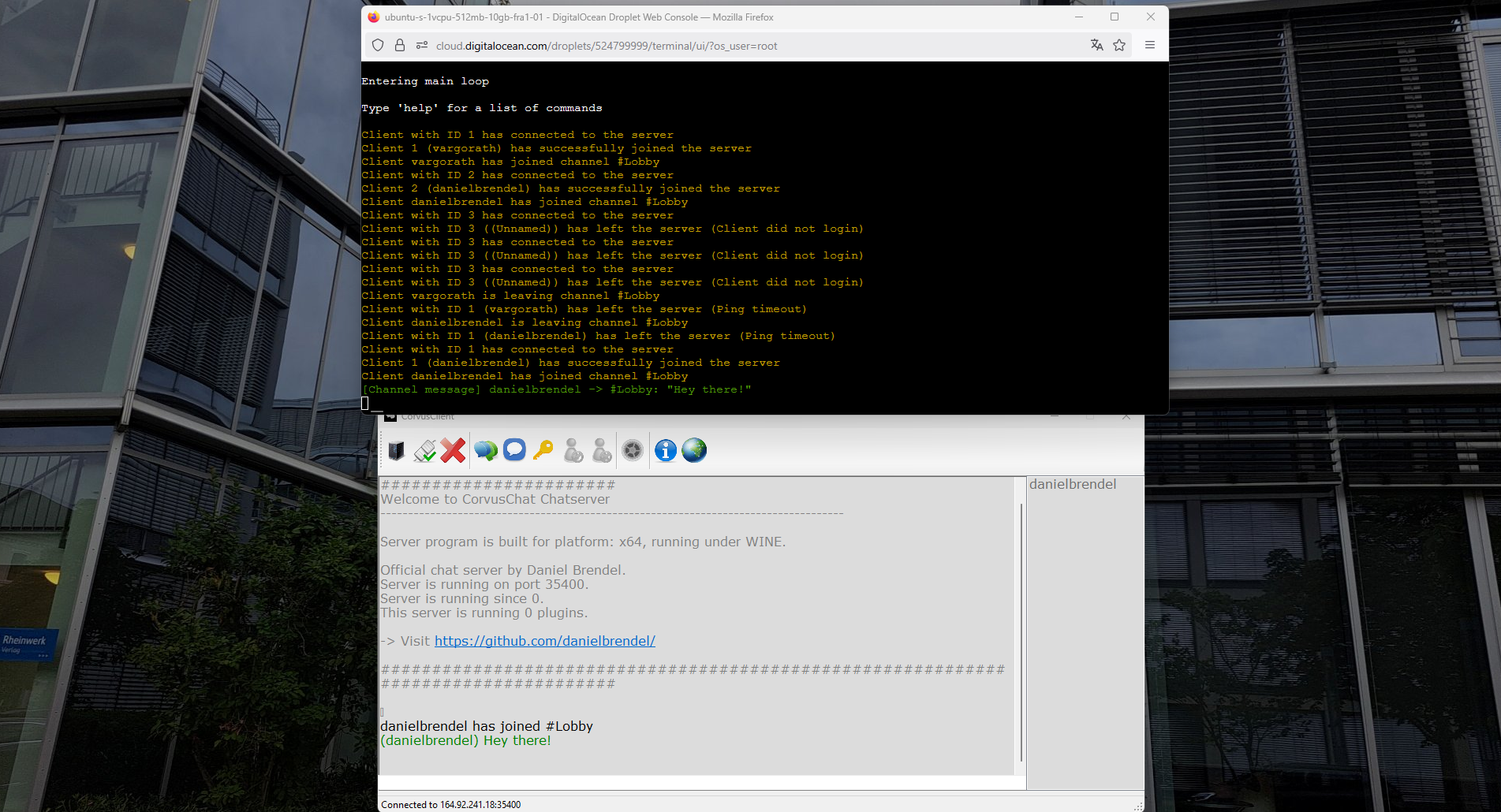
I've recently been playing around with DigitalOcean droplets again. And as my AquaShell scripting environment runs flawlessly under Ubuntu using WINE, I also wanted to try it out with my old chat server program. Nothing for production of course, but fun to tinker around with. At first, I downloaded the chat and master server to my home directory and then unzipped it.wget https://www.danielbrendel.com/downloads/CorvusChat.zip unzip CorvusChat.zipThen we have the directories /CorvusChat/Masterserver and /CorvusChat/Chatserver. The first one is used to manage a list of running chat servers. Chat servers can tell them that they are online, and clients can retrieve the chat server list. This is useful to get a list of public servers. The other one is the chat server itself, that manages the connected chat clients. Now we need to install WINE:apt update apt install wine dpkg --add-architecture i386 && apt-get update && apt-get install wine32:i386 winecfgAnd then check if WINE is successfully installed:wine --versionNow we can finally run our chat server instance:root@ubuntu:~/CorvusChat/Chatserver# WINEDEBUG=-all wine Chatserver_x64.exe CorvusChat Chatserver v0.5 developed by Daniel Brendel (dbrendel1988gmailcom) [Warning] LoadImageA failed: 1813 Initializing components... CVars registered Commands added preinit.cfg executed [2025-10-17 12:42] main.cfg executed [2025-10-17 12:42] Log file has been created: Z:\root\CorvusChat\Chatserver\log\logfile_2025-10-17 12-42.html [2025-10-17 12:42] Client data handlers registered [2025-10-17 12:42] Console commands registered [2025-10-17 12:42] Client socket handler initialized [2025-10-17 12:42] RCon handler initialized [2025-10-17 12:42] Adding user messages...[2025-10-17 12:42] Done [2025-10-17 12:42] Adding DynVars...[2025-10-17 12:42] Done [2025-10-17 12:42] Console command thread created: 168 -> 0x0000000140017EA0 [2025-10-17 12:42] Masterserver thread created: 176 -> 0x0000000140017F60 [2025-10-17 12:42] Could not load banlist content from: Z:\root\CorvusChat\Chatserver\txt\banlist.txt [2025-10-17 12:42] MOTD content loaded from: Z:\root\CorvusChat\Chatserver\txt\motd.txt [2025-10-17 12:42] channels.cfg executed [2025-10-17 12:42] Attempting to load plugins... [2025-10-17 12:42] Loading plugin "plugins\ccsp_testplugin.dll"... [2025-10-17 12:42] Failed [2025-10-17 12:42] plugins.cfg executed [2025-10-17 12:42] userconfig.cfg executed [2025-10-17 12:42] Done [2025-10-17 12:42] Entering main loop [2025-10-17 12:42] Type 'help' for a list of commands... and connect via a chat client:[2025-10-17 12:44] Client with ID 1 has connected to the server [2025-10-17 12:44] Client 1 (danielbrendel) has successfully joined the server [2025-10-17 12:44] Client danielbrendel has joined channel #Lobby [2025-10-17 12:44] [Channel message] danielbrendel -> #Lobby: "Hello world!"But since we want to run both a chatserver and a masterserver instance, we need to divide them into separate "screens", so they run in the background but we can still switch to their terminal and issue console commands.root@ubuntu:~# screen -dmS chatserver bash -c "WINEDEBUG=-all /usr/bin/wine $HOME/corvuschat/Chatserver/Chatserver_x64.exe" root@ubuntu:~# screen -ls There is a screen on: 15090.chatserver (10/17/25 12:46:07) (Detached) 1 Socket in /run/screen/S-root. root@ubuntu:~# screen -dmS chatserver bash -c "WINEDEBUG=-all /usr/bin/wine $HOME/corvuschat/Masterserver/Masterserver_x64.exe" root@ubuntu:~# screen -ls There are screens on: 15178.masterserver (10/17/25 12:49:40) (Detached) 15090.chatserver (10/17/25 12:46:06) (Detached) 2 Sockets in /run/screen/S-root.Alright, seems that everything is working as expected: